A Shopify app · coming soon to the Shopify App Store
PDF catalogs and line sheets, made from the products in your store.
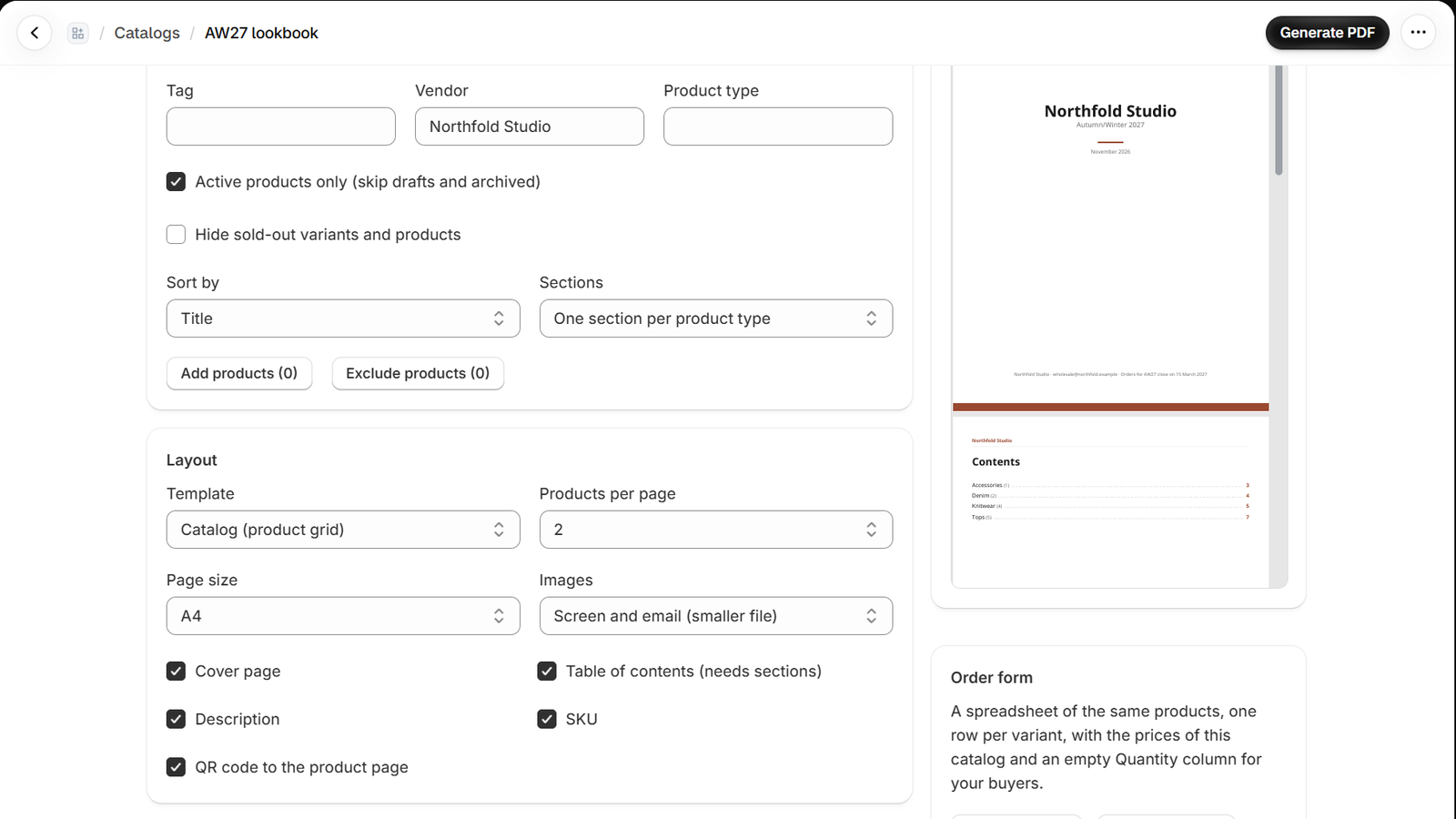
Quire turns your Shopify products into a PDF for buyers, trade shows or email. Pick the products, choose a layout, add your logo and prices, and download. The settings stay saved, so the next edition is a filter and a click away.
What it does
Three layouts
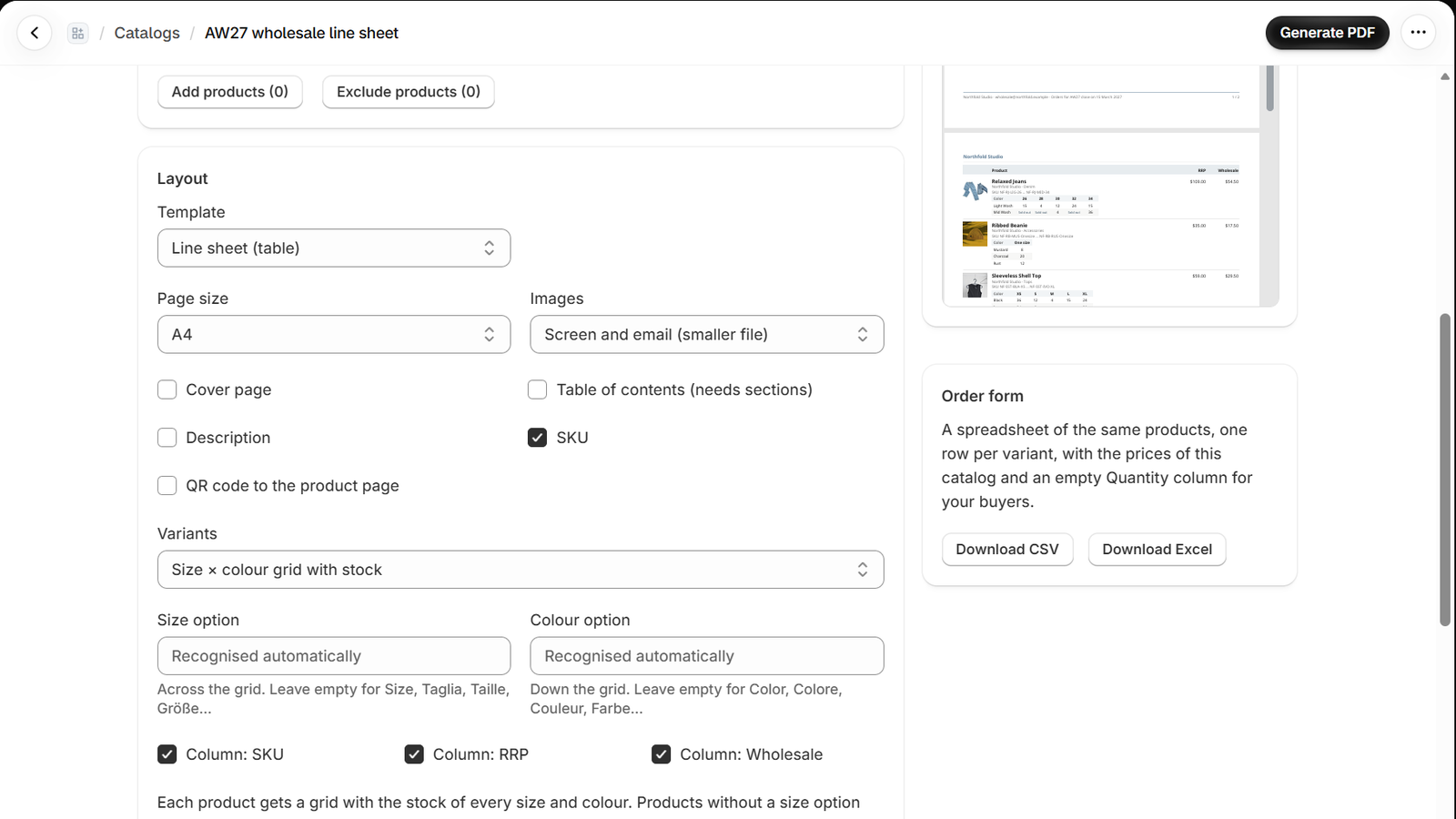
A product grid with one to four products per page, one sheet per product, or a line sheet: a row per variant, or a size × colour grid with stock in each cell.
The products you choose
Filter by collection, tag, vendor or product type, keep only active products, hide what is sold out, and sort and group them into sections.
Wholesale prices
Show your Shopify price, take a percentage off it, show the compare-at price as the RRP, or use the prices of a B2B or market price list.
Your brand
A cover, a table of contents with links, your logo and colour, a footer with your contacts, and a QR code to each product page.
Order forms
Send buyers an order form with every variant, SKU and barcode, as a CSV or an Excel workbook with totals.
Saved as you go
Every catalog keeps its settings. Next season, open it, change a filter and download the new PDF.
Line sheets
For wholesale, the line sheet puts each product on one block with its photo, SKU, prices and either a row per variant or a size × colour grid that shows what is in stock. The app recognises size and colour options by name, in English and other languages, and you can name them yourself.
Plans
Free
$0
- 1 saved catalog
- PDFs of up to 25 products
- CSV order form
- A small “Made with Quire” line on each page
Pro
$9.99 a month
- Unlimited catalogs
- PDFs of up to 500 products
- CSV order form
- No credit line
Plus
$19.99 a month
- Unlimited catalogs
- No product limit
- CSV order form
- Excel order form
- Product metafields
- Prices from a B2B or market price list
- No credit line
Paid plans start with a 14-day free trial and are billed by Shopify. Yearly plans cost ten months. The preview is free on every plan, and catalogs are never deleted when you change plan.
Questions
- Where is the PDF made?
- In your browser. Product data goes from Shopify to the app page, and the PDF is written on your computer: the server never stores your products.
- Is the preview the same as the PDF?
- Yes. The preview is the first pages of the same file, made by the same code.
- Can it handle a large store?
- Yes. Large stores are read with Shopify’s bulk exports, and the PDF is written page by page. A catalog of several thousand products with photos takes a few minutes, mostly to download the images.
- Which languages work in the PDF?
- Latin, Greek and Cyrillic alphabets, Chinese, Japanese and Korean. Arabic, Hebrew and Indian scripts are not supported yet. The app itself is in English.
- Which permissions does it ask for?
- Only to read your products. If you upload a logo, it also asks to save the image in your store’s Files; you can paste an image address instead.
- What happens to my catalogs if I change plan?
- They all stay. On a smaller plan you can keep using them; you just can’t create more than the plan allows.